Fix a Windows PC that won't start
You need a second, working Windows 11 PC to make the stick, a USB stick of 8 GB or more, and about twenty minutes.
1. Make the stick
- On the working PC, download the release zip from GitHub releases and unzip it.
- Install Microsoft's ADK and WinPE add-on: right-click
build\get-adk.cmdand run it as administrator. - Copy the recovery image: run
reagentc /infoin an administrator terminal, open the folder it names, and copy the hiddenWinre.wimto your user folder asWinre-win11.wim. - Plug in the stick and run
build\build-media.cmd "%USERPROFILE%\Winre-win11.wim" E:as administrator, with your stick's letter instead ofE:. This erases the stick. - Later rebuilds don't need to erase it:
build\fix-stick.cmdrebuilds the image and copies it over, checking every file.
2. Boot the broken PC from it
- Plug the stick into the broken PC and switch it on. Press the boot menu key (often F8, F11, F12 or Esc) and pick the USB stick.
- Violet Rescue opens by itself. It finds the drive with Windows on it and shows it top right.
- Pick a page on the left. Scroll with the wheel, by dragging, or with the arrow keys. Anything that changes the PC asks first: Enter is yes, Esc is no.
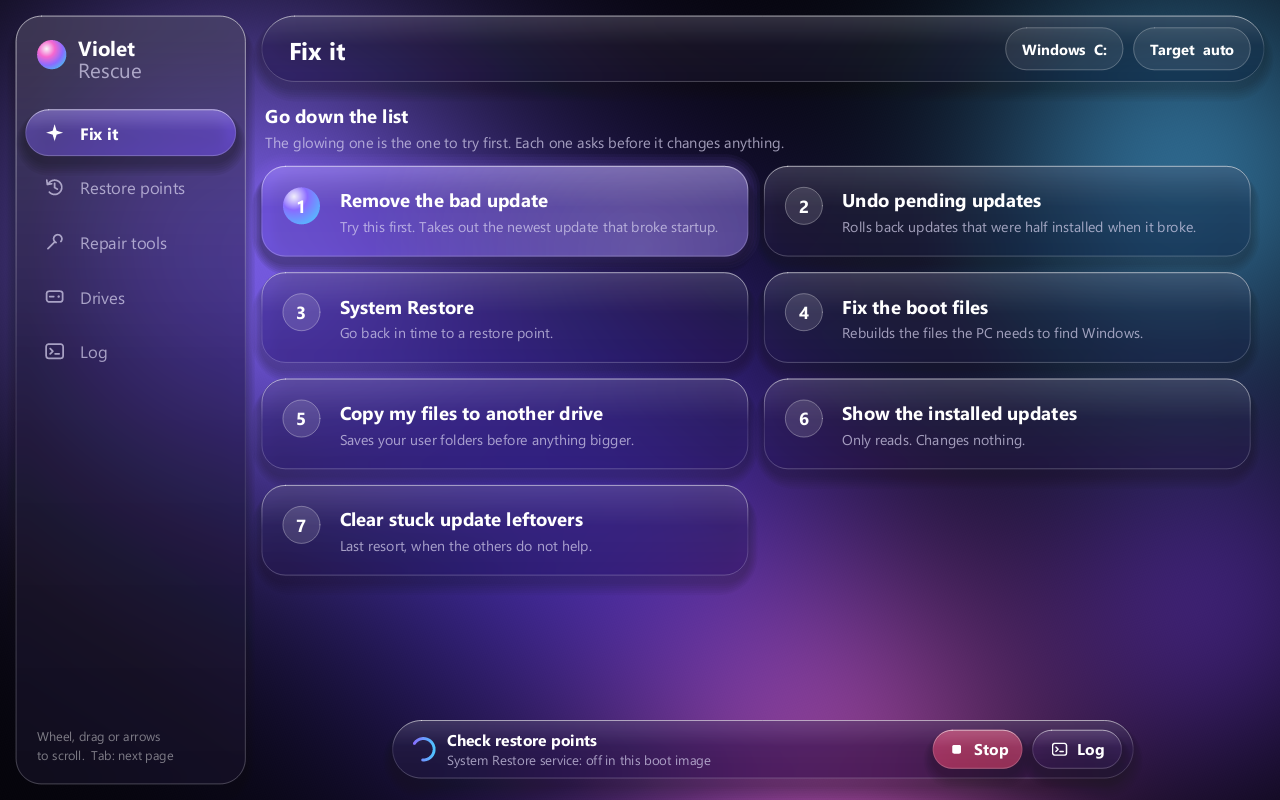
3. Go down the list
After each step, shut down, take the stick out and try Windows. Stop as soon as it starts.
4. When System Restore fails
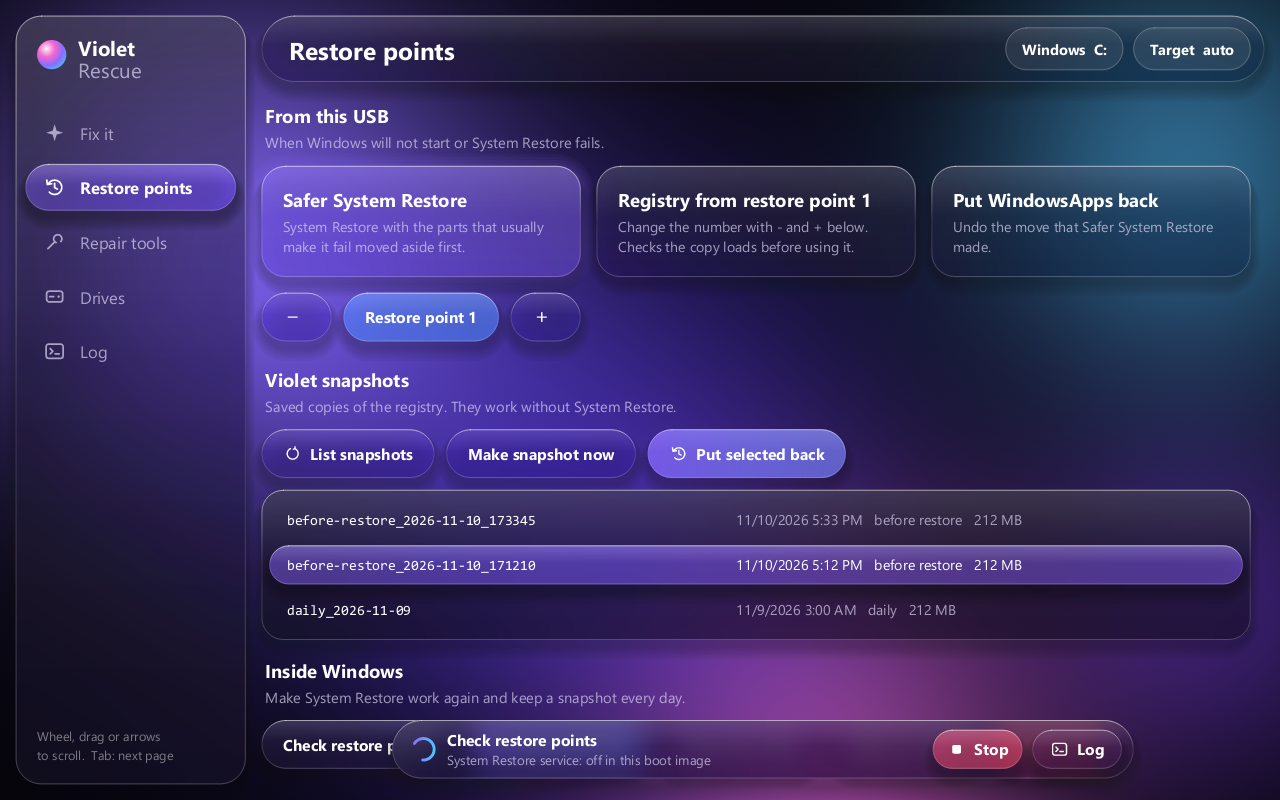
Open Restore points. Three ways back, each still working if the one before it fails:
Safer System Restore
Repairs the disk, moves aside the folder restores usually fail on, then runs System Restore.
Registry from a restore point
Copies the registry out of a restore point. It checks the copy loads before using it.
Violet snapshots
Your saved registry copies. List snapshots, pick a row, Put selected back. Every put-back saves the current registry first, so it can be undone.
What's on the stick
More
Every command, the limits, and what isn't proven yet are in the README. Fresh Windows, moving files, NVIDIA drivers and the cable link are in the classic window (Drives page, Open classic window).